 Marc Wäckerlin
14 KiB
Businesscard with QR-Code
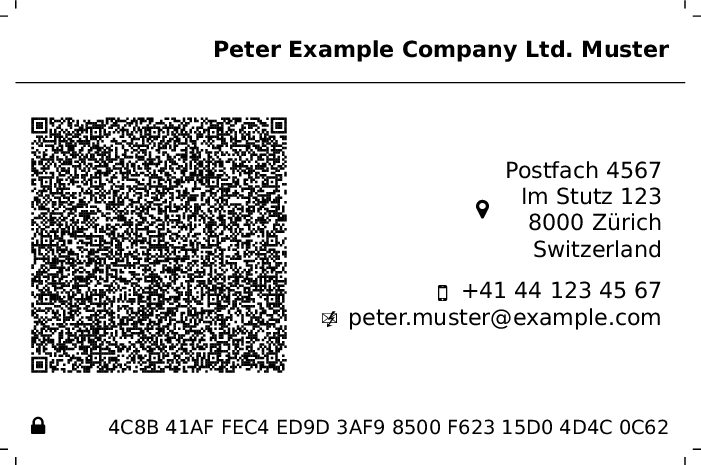
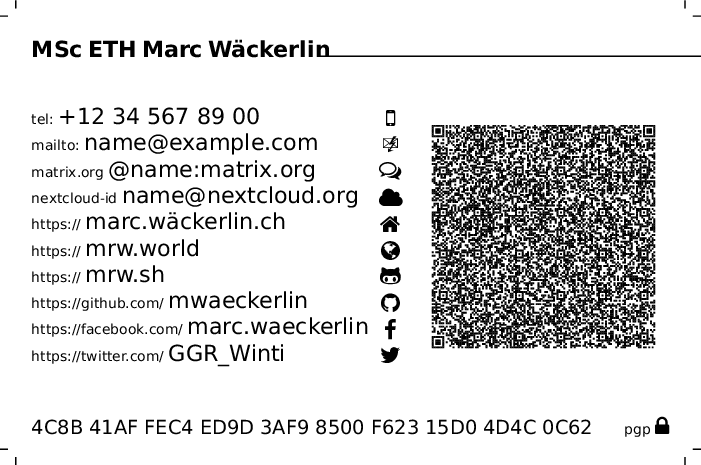
What happens when you hand someone a business card? Either they type everything manually, or the card gets forgotten. This class generates a print-ready business card with a QR code that embeds a full vcard, so contact data can be imported directly with a scanner app.
Compared to templates that place many cards on A4, this project focuses on professional printing workflows: one card per PDF page, exact dimensions, and crop marks.

Features
- full contact payload in QR code (vCard 4.0)
- privacy control per field via optional
[hide](in QR only, not printed) - configurable layout: alignment, icon placement, text/QR order, spacing, card dimensions
- professional print output with crop marks and exact paper/content size
- visual customization: logos, QR-center logo, background image/color, text color, QR color
- social/contact integrations (jabber, matrix, gitea, github, git, facebook, twitter, youtube, wikipedia, nextcloud federation id)
- PGP key URL and fingerprint support
- multi-page PDFs (e.g. front/back variants) with
\newcard
Quick Start
\documentclass{businesscard-qrcode}

\type{home}
\givennames{An}
\familynames{Example}
\street{Einbahnstrasse\ 84}
\city{Irgendwo}
\zip{1001}
\country{Switzerland}
\homepage{example.com}
\email{name@example.com}

\begin{document}
  \drawcard
\end{document}
Compile with:
xelatex -interaction=nonstopmode your-card.tex
Installation
Copy businesscard-qrcode/businesscard-qrcode.cls to your LaTeX class path. Simplest way on Linux:
mkdir -p ~/texmf/tex/latex/businesscard-qrcode
cp businesscard-qrcode/businesscard-qrcode.cls ~/texmf/tex/latex/businesscard-qrcode/
ln -s ~/texmf/tex/latex ~/texmf/tex/xelatex
Compilation Notes
- Use
xelatex(UTF-8 support, e.g. umlauts, CJK). - Do not load
inputencwith this class. - vCard line endings default to CRLF (
crlfoption) for better iOS import compatibility.
Building with latexmk / IDEs
Editors such as VS Code LaTeX Workshop usually call latexmk from the workspace root. This repository ships project-local .latexmkrc files (root and examples/) that extend TEXINPUTS so TeX prefers the local class file from this checkout.
If you invoke xelatex manually without latexmk, set:
TEXINPUTS=/path/to/businesscard-qrcode:
(or run from the repository root).
Document Structure
\documentclass[<layout-options>]{businesscard-qrcode}

<data-definitions>

\begin{document}
  \drawcard
\end{document}
Escaping Spaces in Data
Spaces inside macro arguments must be escaped as \ , otherwise TeX may collapse them before QR/vCard generation.
\company{Example\ Company\ Ltd.}
\city{New\ York}
\phone{+41\ 44\ 123\ 45\ 67}
Layout Options
You can set layout options in four ways:
\documentclass[...](global defaults)\cardsetup{key=value,...}(runtime/global from that point)\drawcard[key=value,...](runtime, convenient per page/card)- command-style setters
\set...{...}(one setter per option)
Note: direct commands like \paperwidth{...} or \color{...} would clash with core LaTeX commands/lengths, therefore the command API uses \set...{...} names.
\documentclass[textwidth=0.7,qrwidth=0.25,www,nofill,iconright,rightalign,hint,icon,textfirst]{businesscard-qrcode}
% runtime/global
\cardsetup{textfirst,noicon,qrwidth=0.35}

% per card/page
\drawcard[noqr,noheader,layout=centered]

% command-style
\setqrwidth{0.35}
\seticon{false}
\setlayout{centered}
Paper and Geometry
paperwidth=: physical paper width, default89mmpaperheight=: physical paper height, default59mmcontentwidth=: inner content width, default85mmcontentheight=: inner content height, default55mmpadding=: inner padding, default2mmcutdist=: crop-mark distance, default2cutlen=: crop-mark length, default1
Typography and Layout
fontsize=: one of8pt,9pt,10pt,11pt,12pt,14pt,17pt,20pt, default8pttextwidth=: relative text block width, default0.50qrwidth=: relative QR block width, default0.40qrfirst/textfirst: QR left/right order, defaultqrfirstheader/noheader: show/hide top name block + separator line, defaultheaderqr/noqr: show/hide QR block, defaultqrlayout=:standard(default) orcenteredrightalign/leftalign: text alignment, defaultrightaligniconleft/iconright: icon side, defaulticonleftfill/nofill: fill space between icon and text, defaultfill
Address, Links, and Formatting
address/noaddress: include address in print + vCard, defaultaddresshint/nohint: show small protocol hints, defaulthinticon/noicon: show icons, defaulticonhttps/www: hint URL style, defaulthttpslang=: wikipedia language prefix, defaultdecountryformat=:auto(default),inline, orbelowcrlf/nocrlf: vCard newline style, defaultcrlf
Colors and QR Tuning
color=: global text color, defaultblackqrcolor=: QR module color, defaultblackqreclevel=:L,M,Q,H, defaultHqrlogoscale=: QR-center logo size fraction, default0.25qrlogoborder=: QR-center logo padding fraction, default0.02qrbgopacity=: QR white background opacity, default1.0
Logo and Background
logoheight=: default logo height near name (with unit). Auto-default:4emif company exists, else2embgscale=: background image scale, default1.0bgopacity=: background image opacity, default1.0
Data Definitions
Define data via commands like:
\email{name@example.com}
All data commands support optional [hide] (or [hide=true]): value remains in QR/vCard but is hidden in printed text.
\email[hide]{secret@example.com}
Recognized Commands
Name and Identity
\type:homeorwork(used in ADR/TEL/EMAIL vCard typing)\honoricprefix: name prefix/title\givennames: given names\additionalnames: additional/middle names\familynames: family names\honoricsuffix: name suffix\title: position/job title (also contributes to displayed/vCard full name)\role: role/function\company[logo=...,height=...,hide]: company text with optional inline logo configuration
Address
\pobox\extaddr\street\city\region\zip\country
Contact
\phone\email\jabber\matrixorg\cloud
Web and Social
\homepage\world\link\wordpress\drupal\joomla\wikipedia\git\gitea\github\facebook\twitter\youtube\google
Crypto
\pgpurl\pgpfingerprint
Visual Content
\logo[height=...]{content}: logo near name (file path or TeX content)\qrlogo[scale=...,opacity=...]{content}: logo in QR center (file path or TeX content)\background[scale=...,opacity=...]{file-or-color}: background image or color\centercontent{...}: custom content used bylayout=centered\companylogo[height=...]{content}: backward-compatible company logo helper
Multi-Page and State Control
\clearfield{<name>}: remove one field (printed + QR/vCard)\clearcard: remove all card fields plus card-scoped visuals (\title, logo, QR logo, background)\clear{<name>}: alias of\clearfield{<name>}(when no other package already defines\clear)\newcard: alias of\newpage+\clearcard- empty structured entries are omitted automatically: if no personal-name parts remain,
N/FNare not emitted; if no address parts remain,ADRis not emitted and the address icon/text block is hidden \cardsetup{key=value,...}: set layout options at runtime\drawcard[key=value,...]: draw a card and optionally adjust layout options inline\setoption{key}{value}: generic runtime setter
Command-Style Setters for Layout Options
- geometry:
\setpaperwidth,\setpaperheight,\setcontentwidth,\setcontentheight,\setpadding,\setcutdist,\setcutlen - layout/typography:
\setfontsize,\settextwidth,\setqrwidth,\setqreclevel,\setqrlogoscale,\setqrlogoborder,\setlogoheight,\setlayout - booleans (
true/false):\setcrlf,\setaddress,\sethint,\seticon,\setrightalign,\seticonleft,\setfill,\setqrfirst,\setheader,\setqr,\sethttps - colors/language/format:
\setlang,\setcardcolor,\setqrcolor,\setcountryformat,\setbgscale,\setbgopacity,\setqrbgopacity - convenience toggles:
\noheader,\withheader,\noqr,\withqr,\standardlayout,\centeredlayout
Document Title Interop
\title{...}is repurposed by this class for card position/title content\carddocumenttitle{...}calls the original LaTeX document-title command if needed
Second Page (Front/Back)
Use one source file for front/back variants:
\begin{document}
  % Page 1
  \type{home}
  \givennames{John}
  \familynames{Doe}
  \email{name@example.com}
  \drawcard

  % Page 2
  \newcard
  \type{work}
  \company{My\ Company\ LTD}
  \title{CEO}
  \email{doe@mycompany.ltd}
  \drawcard
\end{document}
Alternative: centered back side without QR and without header:
\newcard
\centercontent{{\Large\bfseries My\ Company\ LTD}\par\vspace{0.8em}hello@mycompany.ltd\par mycompany.ltd}
\drawcard[layout=centered,noqr,noheader]
Equivalent using setter commands:
\newcard
\setlayout{centered}
\setqr{false}
\setheader{false}
\centercontent{{\Large\bfseries My\ Company\ LTD}\par\vspace{0.8em}hello@mycompany.ltd\par mycompany.ltd}
\drawcard
If you want to keep most data and only remove selected fields:
\newpage
\clear{givennames}
\clear{familynames}
\drawcard
See john-doe-hongkong.tex for a full two-page example.
Logo and Background Examples
Logo next to name
\documentclass{businesscard-qrcode}
\logo{logo.png}
Logo in QR center
\documentclass[qreclevel=H,qrlogoscale=0.25]{businesscard-qrcode}
\qrlogo[scale=0.25]{logo.png}
Important for QR-center logos:
- prefer
qreclevel=H - test scan quality with multiple apps/devices
- reduce
qrlogoscaleif decoding becomes unreliable
Large logo next to name
\documentclass[logoheight=6em]{businesscard-qrcode}
\logo{logo.png}
Background color
\documentclass{businesscard-qrcode}
\background{yellow!20}
Background image
\documentclass[bgscale=1.5,bgopacity=0.3,qrbgopacity=1.0]{businesscard-qrcode}
\background{photo.png}
Print the Card
The default print format is 89mm × 59mm with 2mm border/cut distance (inner card: 85mm × 55mm).
Example for 10cm × 5cm card with 2mm cut:
\documentclass[paperheight=5.4cm,paperwidth=10.4cm,
               contentheight=5cm,contentwidth=10cm,
               cutdist=2]{businesscard-qrcode}

Before printing, validate QR readability (phone app + command line, e.g. zbarimg businesscard.pdf).
Need More
If you are missing a feature or configuration option, consult project and open a ticket. Contributions are welcome (lgpl).